Advanced
Welcome to the Advanced Features chapter! This chapter introduces the advanced features and customization options of the LAFVIN Retro Game Kit to help you get a better user experience.
Note
Advanced features require some understanding of the system. If you are a first-time user, it’s recommended to read the Usage Guide chapter first.
System Settings
Out-of-Game Options
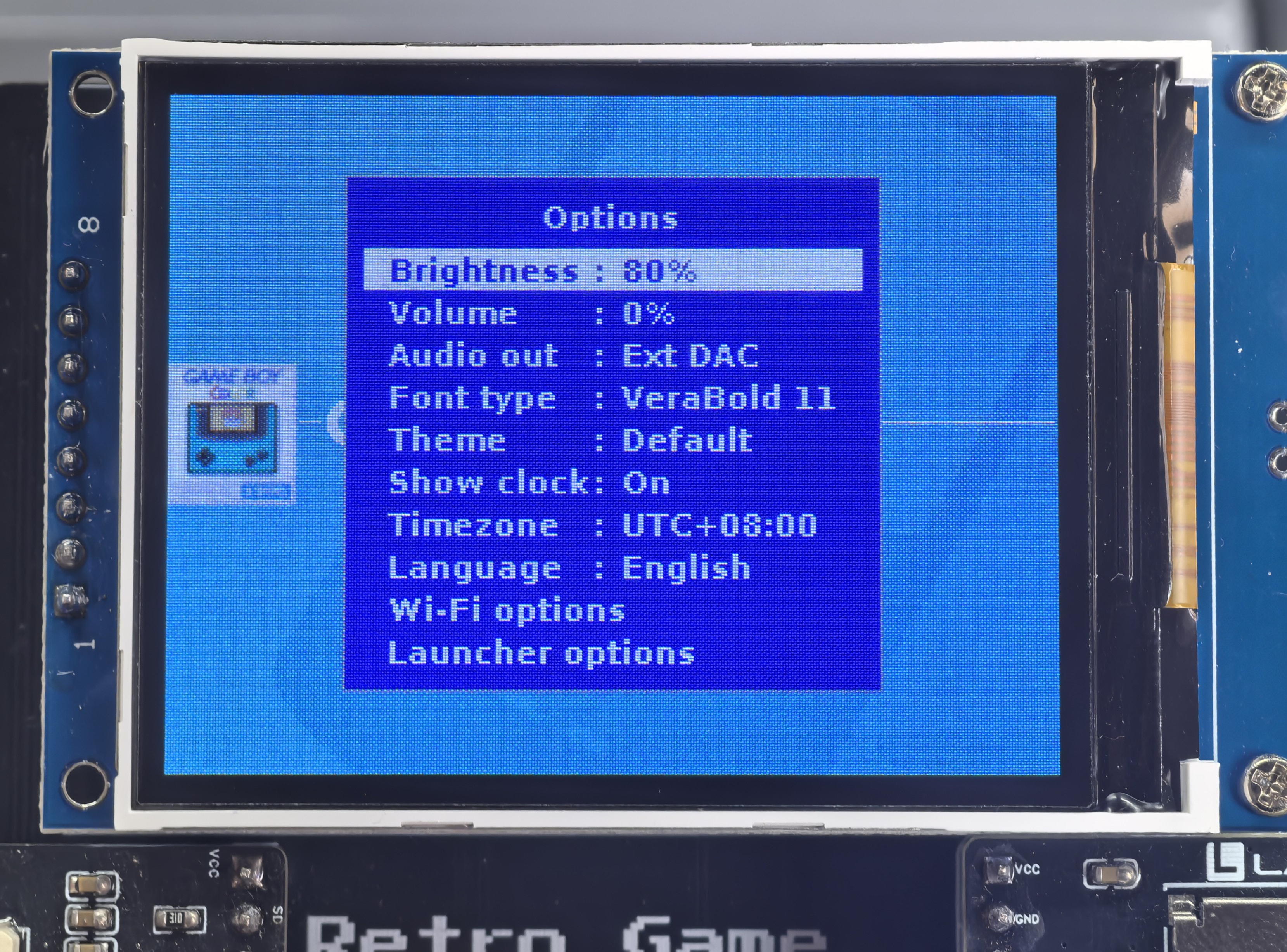
System Options Settings
In this interface, you can adjust the following system parameters:
Brightness Adjustment - Adjust screen brightness
Volume Control - Set audio output volume
External DAC - Enable/disable external digital audio converter
Font Settings - Change system display font
Theme Management - Select interface theme (requires theme files stored on SD card)
Time Settings - Configure system time
Language Selection - Switch system language
WiFi Settings - Configure wireless network connection
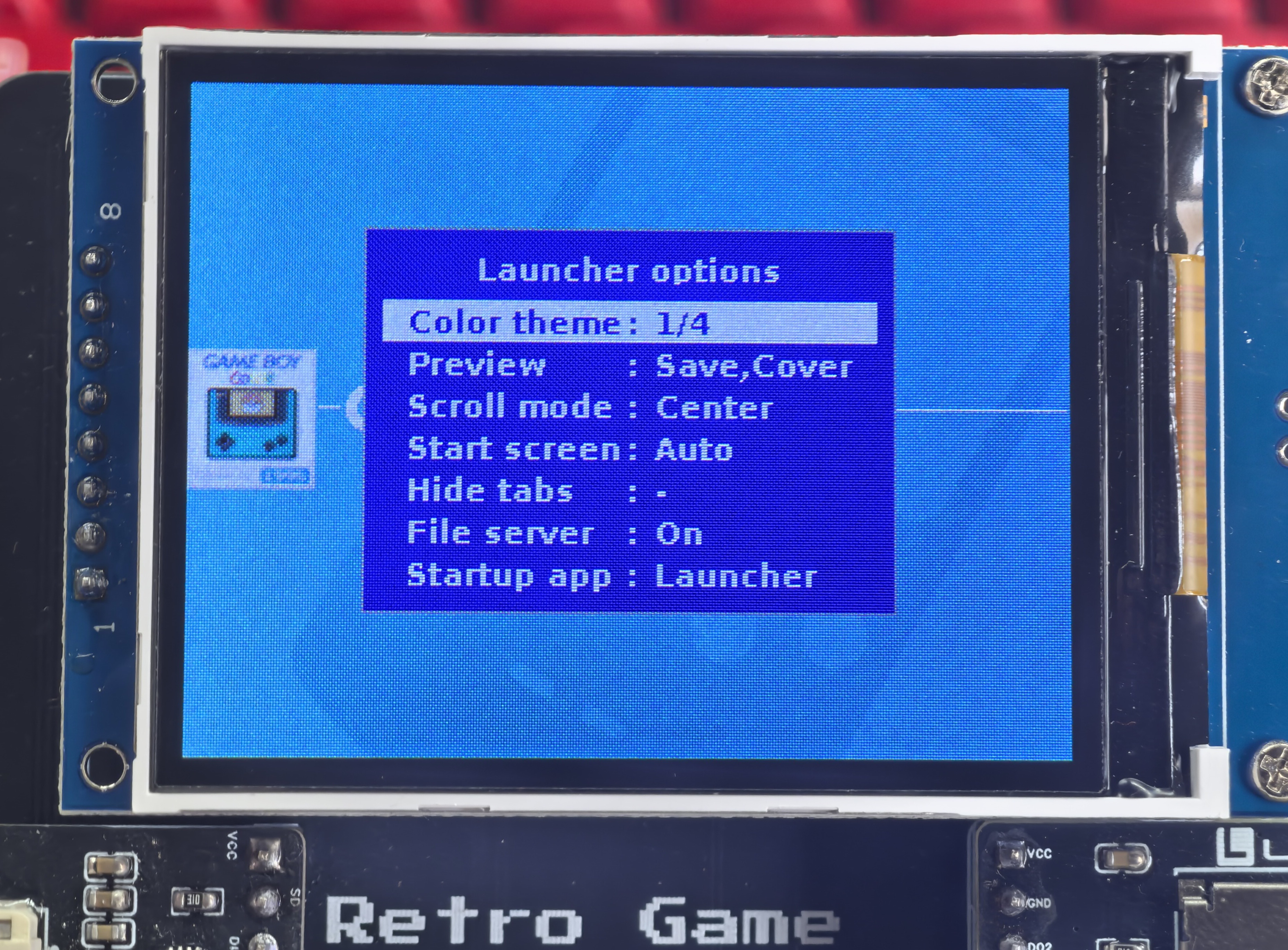
Launcher Options
This interface is used to adjust launcher-related settings, including startup method, display options, etc.
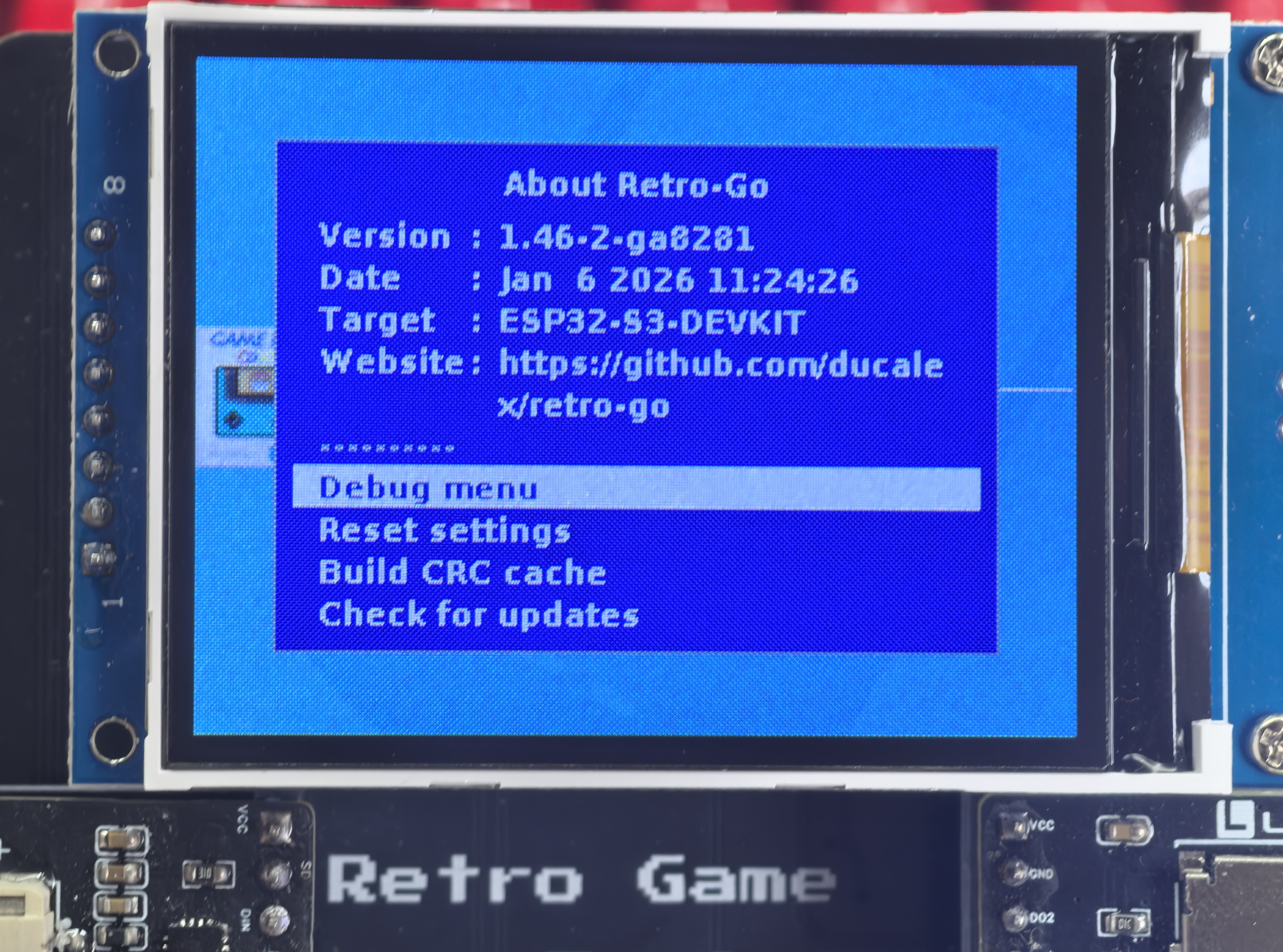
System Menu
Contains system information and advanced settings options.
Warning
Advanced settings options may affect system stability. If you don’t understand their purpose, please do not modify them arbitrarily.
In-Game Settings
In-Game Menu
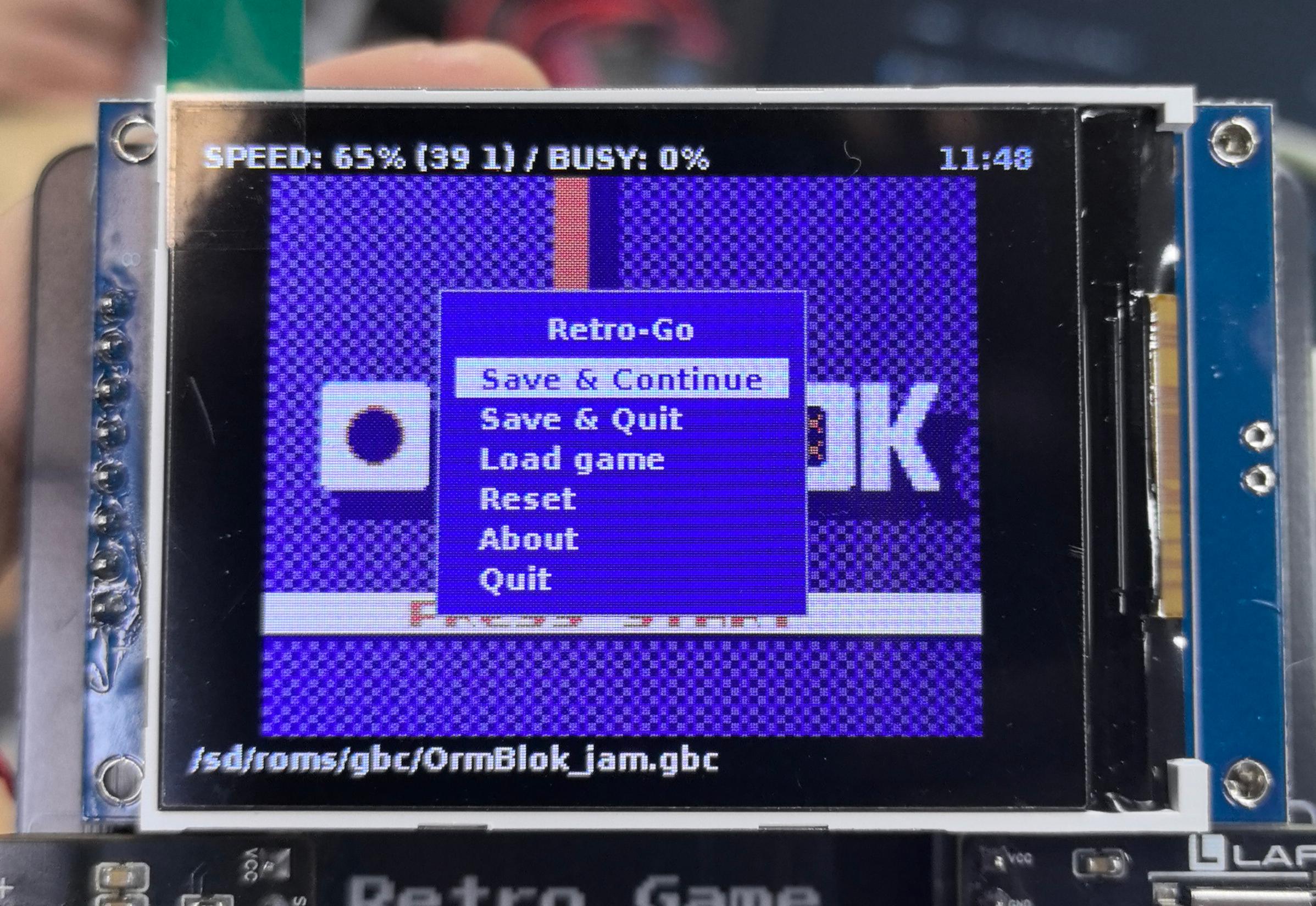
Quick Menu Functions
While the game is running, you can access the following functions:
Save - Save current game progress
Load - Load saved game progress
Quit Game - Return to launcher interface
In-Game Options
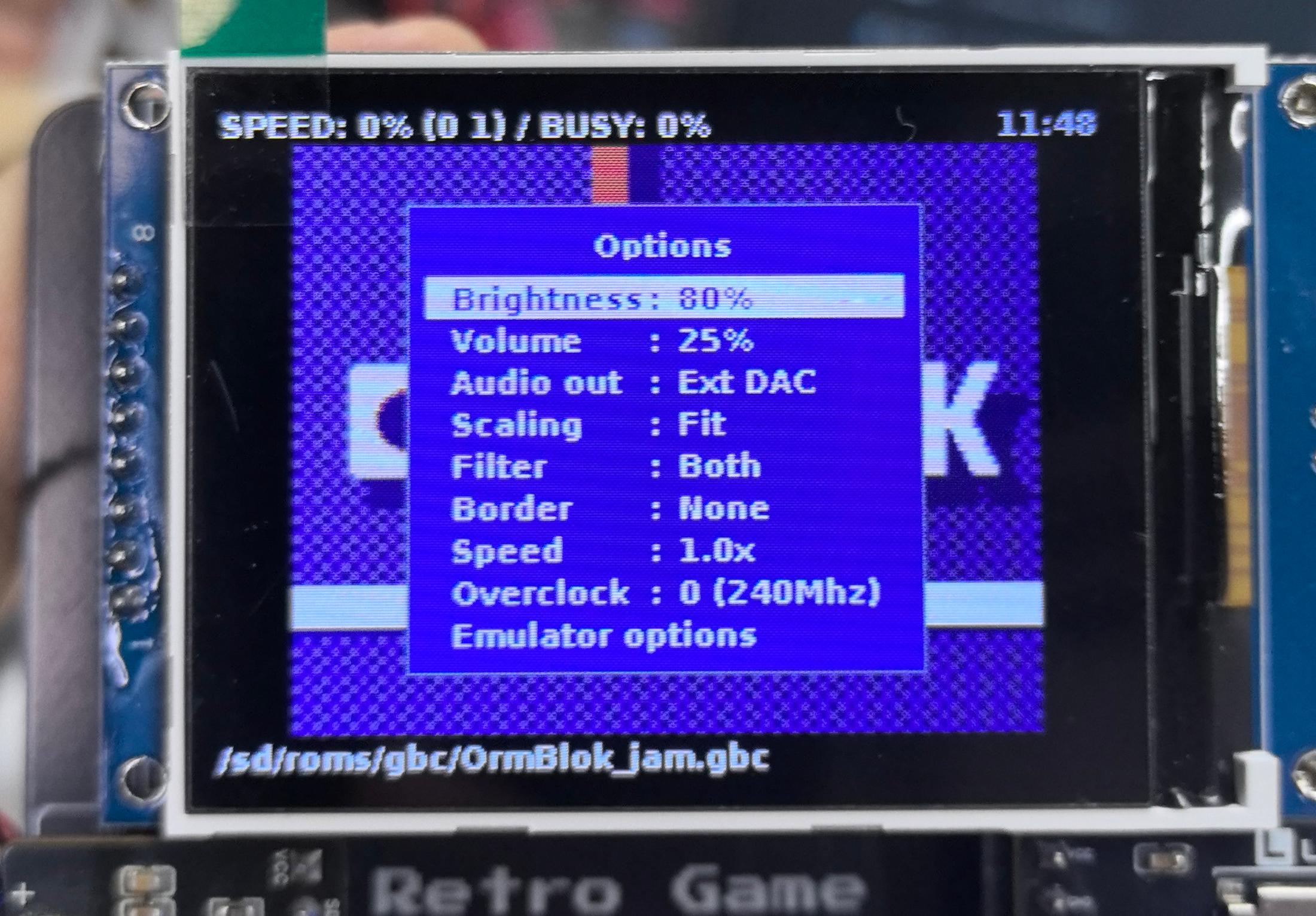
Basic Options
Similar to out-of-game options, with the following additional game-related settings:
Display Settings - Adjust display effects and filters
Speed Control - Adjust game running speed
Overclocking Options - Boost performance (may affect stability)
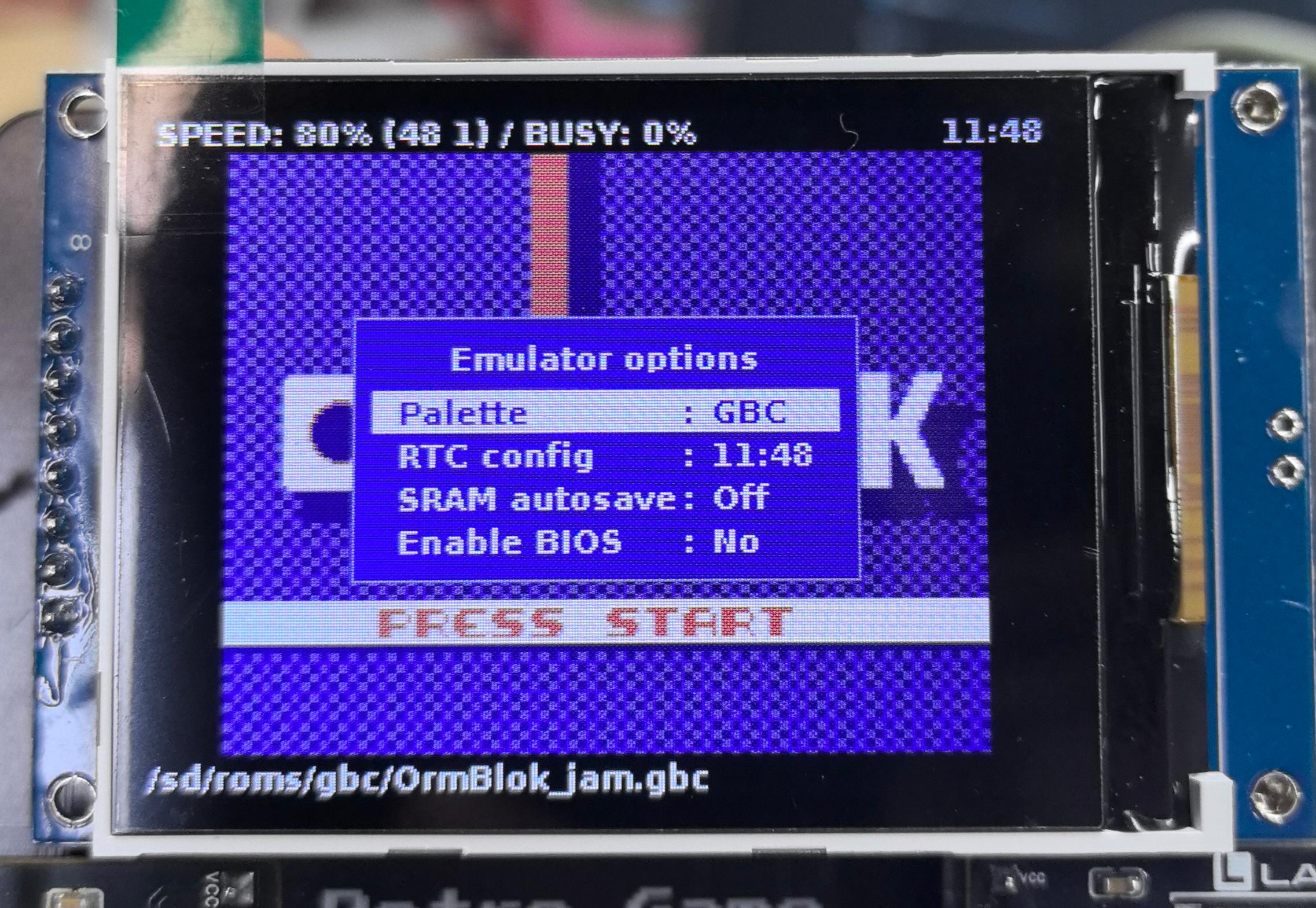
Emulator Advanced Options
This interface contains professional configuration options for the emulator.
Warning
Emulator advanced options involve low-level parameters. If you don’t clearly understand their purpose, please do not modify them to avoid affecting game operation.
Secondary Development
You can clone our GitHub repository and switch to the dev branch, or download the ZIP archive directly.
After cloning or downloading, you will find the retro-go folder or archive. Open it with VS Code to start secondary development. This version is adapted for the current hardware kit, and you can freely modify the language settings and features.
Note
To compile and debug the firmware, you need to have ESP-IDF (Espressif IoT Development Framework) installed on your system.
For installation instructions, please refer to the official documentation: ESP-IDF Get Started